
If you would like to assign a manuscript to another editor (be that an Associate Editor, who will manage the peer review process, or a Statistics and Methodology Editor for stats or methods review), click on the Assign Editor action link:
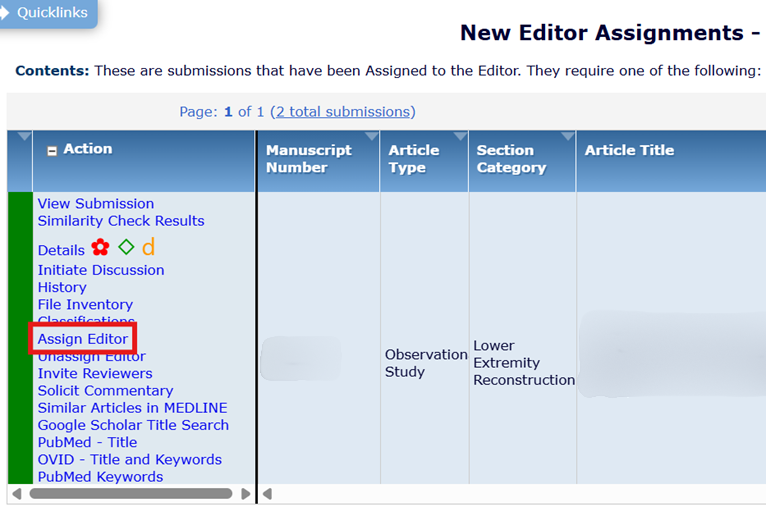
In the pop-up window, choose an editor from the list. Their roles and sections appear next to their name, as well as their current number of assignments and number of recent assignments.

Select the circle next to the name of the editor you’d like to assign, then scroll to the bottom of the screen and select either Send Default Letter or Send Custom Letter. Sending the default letter immediately completes the assignment; sending a custom letter gives you the opportunity to first edit the template letter to add any additional details or requests.
Assigning Statistics and Methodology Editors
When assigning a paper for statistics or methodology review, please assign the manuscript only to the Senior Editor for Methodology or the Senior Editor for Statistics. This Editor will then choose an Associate Editor for Stats/Methods to perform the review.
The Editorial Office recommends that Senior Editors send papers out for methodology and statistics review. This can be done after peer review has been completed (if reviews are positive and the manuscript is likely to be accepted after revisions), or prior to peer review (if the Senior Editor suspects there may be fatal methodological flaws). All published scientific manuscripts should undergo at least one round of methodology or statistics review prior to acceptance.
When the assigned editor submits a decision, the submission will appear back in your account.